
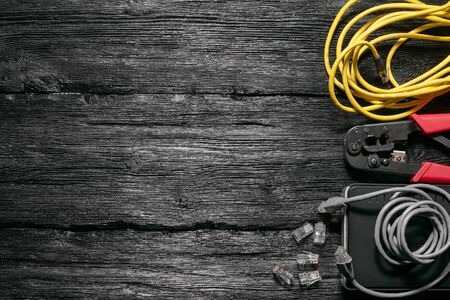
Essential Tools for Network Cable Wiring
When it comes to building or maintaining a reliable wired network, the quality of your cables matters, but so does the precision of how they’re made. Whether you’re setting up Cat5e, Cat6, or Cat7 cables, having the right tools can make the difference between a clean, high-speed connection and a frustrating mess of dropped signals and intermittent connectivity. Let’s go over the most essential tools used for network cable wiring, their purpose, and how to use them properly. Cable Stripper The first step in creating an Ethernet cable is removing the outer jacket cleanly without nicking the internal wires.A cable stripper allows you to quickly expose the twisted pairs by scoring the insulation evenly around the cable. Pro Tip: Adjustable strippers are best for different cable categories (Cat5e–Cat8). Avoid: Using a knife — it often cuts too deep and damages the copper conductors. You can get it from Amazon. Crimping Tool Once your wires are arranged correctly (T568A or T568B), a crimping tool secures the RJ45 connector to the cable ends.A high-quality crimper ensures: Solid connection between pins and copper conductors Even pressure for reliable data transmission Longer connector life Pro Tip: Choose a ratcheting crimper with replaceable dies for professional use — it provides consistent results and reduces hand fatigue. You can get it from Amazon. RJ45 Connectors & Boots RJ45 connectors are the plug ends that attach to your cable. Choose connectors that match your cable category and type (solid vs. stranded). Newer version called Pass-through. Cable boots (the rubber covers) protect the clip from snapping and keep the bend radius within limits. Pro Tip: Pass-through RJ45 connectors are great for beginners — you can visually confirm the correct wire order before crimping. You can get it from Amazon. Cable Tester After wiring both ends, testing your cable is a must.A network cable tester checks continuity, pin alignment, and pairing integrity — confirming there are no shorts or miswires. Basic Testers: Verify if all eight wires are connected properly. Advanced Testers: Measure signal loss, crosstalk, and certification for Cat6/Cat7 compliance. Pro Tip: Always test before installation, redoing a buried or wall-mounted cable can be time-consuming. You can get it from Amazon. Cable Management Tools Professional-looking installations also require organization tools like: Velcro ties (for adjustable bundling) Cable raceways or trays (to protect wiring) Labels (for easy troubleshooting later) Pro Tip: Never zip-tie cables too tightly — it can distort the pairs and reduce performance. You can get it from Amazon. Tone Generator & Probe Kit Optional but Handy If you’re tracing cables through walls or ceilings, this tool combo helps you identify which cable goes where.The tone generator sends an audible signal through the wire, and the probe detects it on the other end, saving hours during troubleshooting. You can get it from Amazon. Investing in the right network cabling tools means faster installation, fewer connection issues, and a cleaner, more professional setup. At Microsys, we use industry-grade tools to ensure every cable meets performance standards, so your business network runs fast, stable, and error-free.